
Print Center & Multi-Printer Monitoring
The Print Center is designed for makers, print farm operators, and workshops managing multiple 3D printers simultaneously.
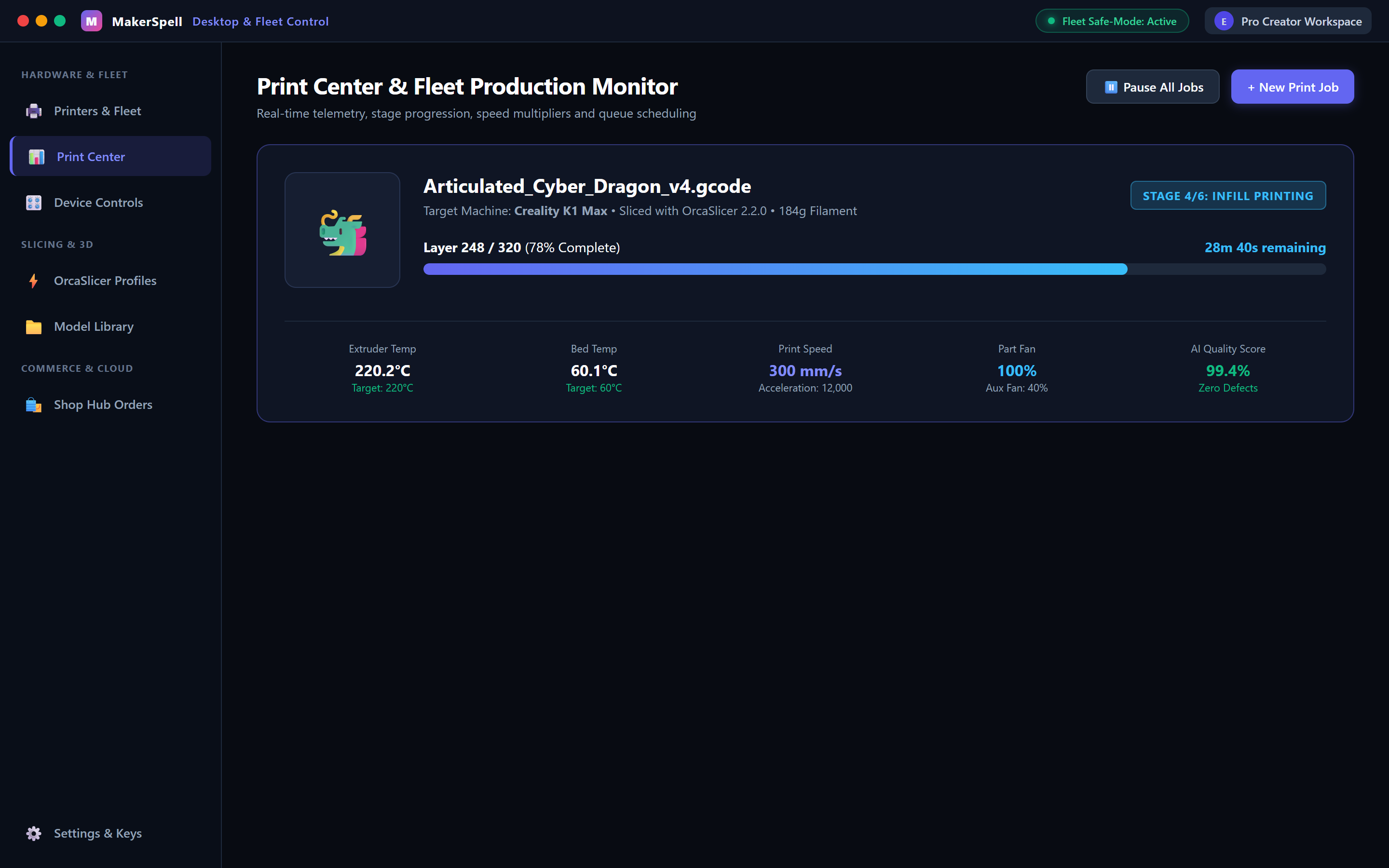
1. Metric Badges
At the top of the Print Center, live badges summarize your fleet status:
- Active Jobs: The number of printers currently preheating, calibrating, or laying down plastic.
- Ready Files: Sliced G-code files queued up for printing.
- Online Printers: Connected, responding machines across your network.
2. Real-Time Printer Cards
Each printer card provides instant telemetry:
- State Indicators:
- 🟢 Green (Idle): Standby, bed clear, ready for the next job.
- 🔵 Blue (Printing): Actively extruding; includes live percentage and progress bar.
- 🟡 Yellow (Paused): Paused for filament swap or manual inspection.
- 🔴 Red (Offline): Machine powered off or network dropped.
- Job Progress: Current file name, model thumbnail, completion percentage (
65%), and time remaining (14m 20s). - Temperatures: Real-time hotend and heatbed readings versus targets (
220°C / 60°C). - Quick Controls:
- Pause / Resume: Temporarily halt printing in emergencies.
- Cancel Print: Abort the current job with confirmation dialog.
- Open Dashboard: Tap to enter the full two-column control cockpit.