
26-Platform 3D Model Search & Filtering Guide
The MakerSpell search engine eliminates the frustration of checking dozens of separate model platforms one by one.
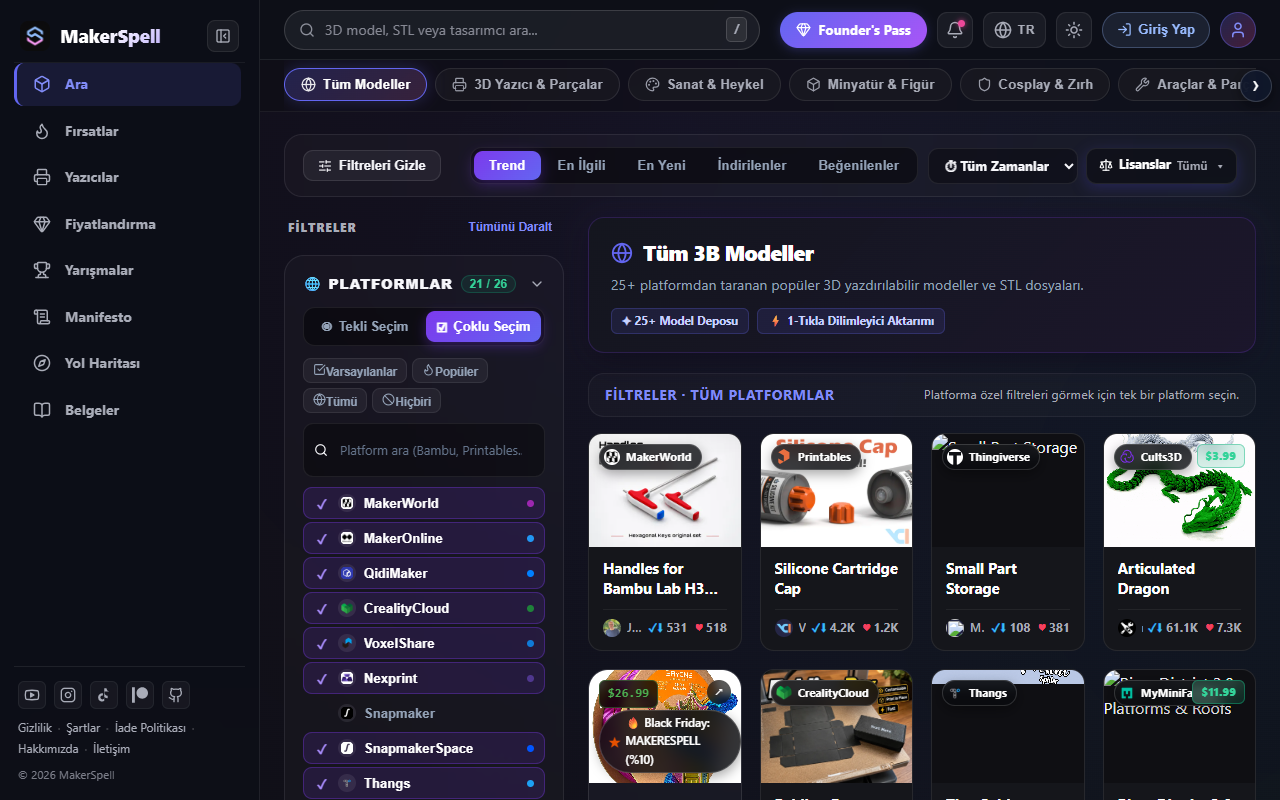
1. Searching for Models
- Navigate to makerspell.com/browse or use the search bar on the homepage.
- Enter your search query (e.g., phone stand, articulated dragon, cable organizer).
- Press Enter or click the search icon.
2. Intelligent Filters & Sorting
- Free vs. Commercial: Filter models instantly between free open-source downloads and premium commercial designs.
- Platform Selection: Narrow down results to specific repositories (e.g. Printables, MakerWorld) or search everything at once.
- Sorting Modes: Sort by Popularity, Most Recent, or Highest Downloads.
- 3D Preview: Click any card to view detailed renders, licensing details, author information, and launch directly into your slicing workflow.